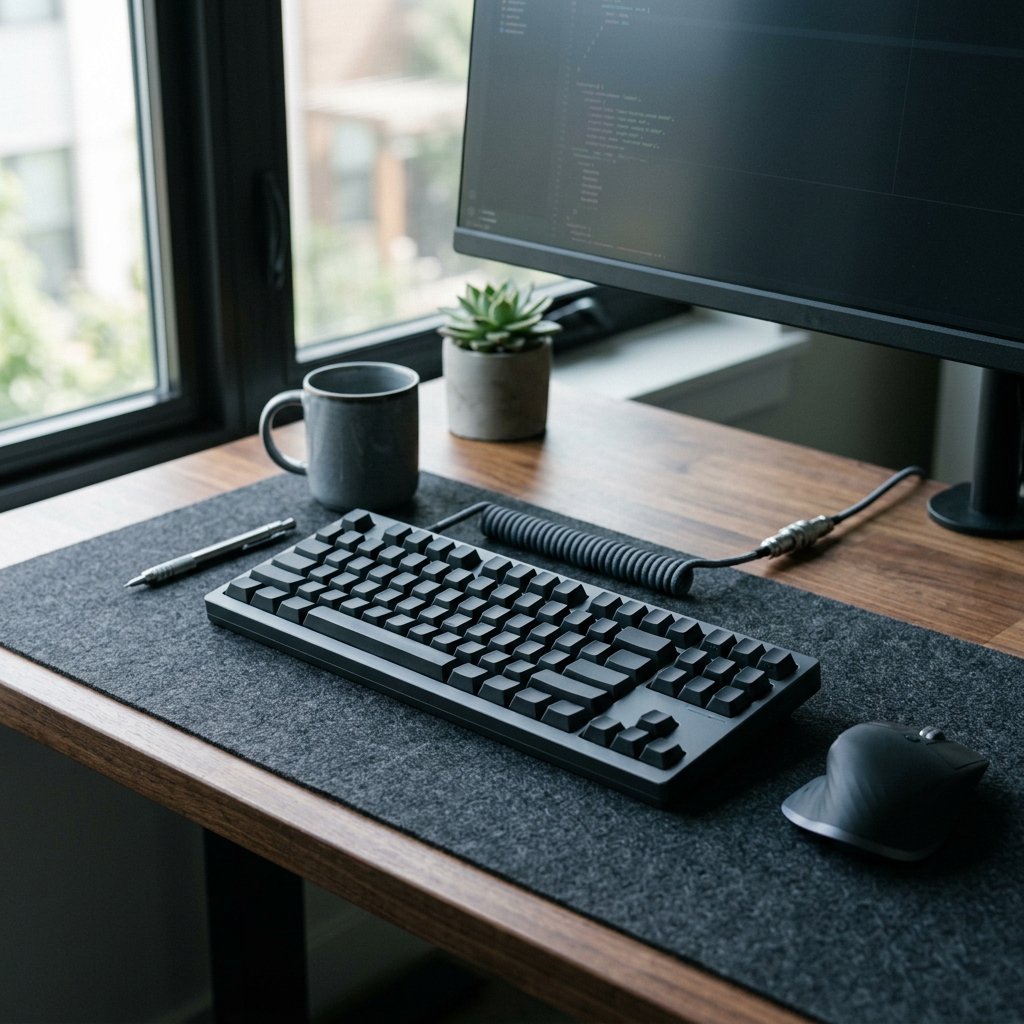
An extended desk mat for developer workflows anchors your mechanical keyboard and mouse on a unified micro-textured cloth or wool-felt surface, absorbing high-frequency switch clatter and providing consistent optical sensor tracking across 900x400mm of workspace. For software engineers and technical leads typing dense syntax and managing server deployments for six or more hours a day, this foundational desk layer addresses an acoustic resonance and surface friction problem that bare wooden or glass desktops leave completely unsolved. This guide covers how desk mats function, why material composition matters specifically for programming environments, who should upgrade, and the real tradeoffs involved.
Extended Desk Mat for Developer Workflows: Full 2026 Guide
What Is an Extended Desk Mat?
Traditional computer setups isolate mousepads to a cramped 9-by-10-inch square, leaving keyboards to scrape directly against hard desk finishes. An extended desk mat spans the entire width of your workstation, uniting input hardware under a single cohesive surface. Choosing a quality extended desk mat for developer workflows provides immediate acoustic dampening while protecting fine wood and laminate desk surfaces from daily wear and tear.
- Acoustic Dampening: Thick neoprene or natural rubber bases absorb the sharp ping of mechanical keyboard switches, transforming a hollow clatter into a deep, satisfying thock.
- Surface Materials: Micro-woven cloth prioritizes precise optical mouse tracking, merino wool felt offers a warm tactile texture that muffles sound, and PU leather provides an easy-to-wipe spill barrier.
- Stitched Edge Reinforcement: High-end mats feature tight anti-fray border stitching that prevents edge peeling over years of heavy daily palm resting.
Why Does This Matter Specifically for Programmers?
Software engineering is an immersive, high-repetition discipline. Every keystroke generates acoustic vibrations that travel straight through rigid desk frames, creating cumulative auditory fatigue over long coding blocks. Bare surfaces also cause mouse feet to drag unevenly. For a deeper look at workspace ergonomics, you can review computer desk ergonomics on Wikipedia. Additionally, exploring our guide on split keyboard for programmers highlights how foundation workspace changes improve long-term developer stamina.
Who Should Upgrade to an Extended Desk Mat?
The clearest case is a technical professional like a full-stack developer or open-source maintainer—spending entire shifts inside IDEs and terminal windows who wants to eliminate hollow keyboard acoustics and establish a clean, unified workspace boundary. Integrating an extended desk mat for developer workflows transforms both the sound profile and visual calm of your daily desk setup.
What Are the Limitations of Desk Mats?
- Spill Maintenance: Cloth and felt mats absorb liquids, requiring spot cleaning or washing when coffee accidents happen.
- Desk Real Estate: Extra-large mats (900x400mm) demand significant clear surface area on compact desks.
- Edge Wear: Low-quality unstitched mats tend to fray along the wrist-contact zones within a few months of intense use.
The Bottom Line
An extended desk mat for developer workflows is an essential foundation upgrade that transforms keyboard acoustics, protects your desktop, and stabilizes mouse tracking. By dampening harsh switch ping and unifying your input hardware under a clean professional aesthetic, it delivers immediate comfort improvements for heavy desk users. While cloth and felt variants require basic spill maintenance, the acoustic and tactile payoff makes it an indispensable addition to any serious developer workstation.
Frequently Asked Questions
Do desk mats actually reduce mechanical keyboard noise?
Yes. Dense rubber and neoprene desk mats absorb bottom-out vibrations and high-frequency clatter, significantly reducing overall typing noise reflection.
What desk mat size is best for a full developer workstation?
An XL size measuring roughly 900x400mm (35.4 x 15.7 inches) provides ample space to comfortably accommodate both your mechanical keyboard and primary mouse.