

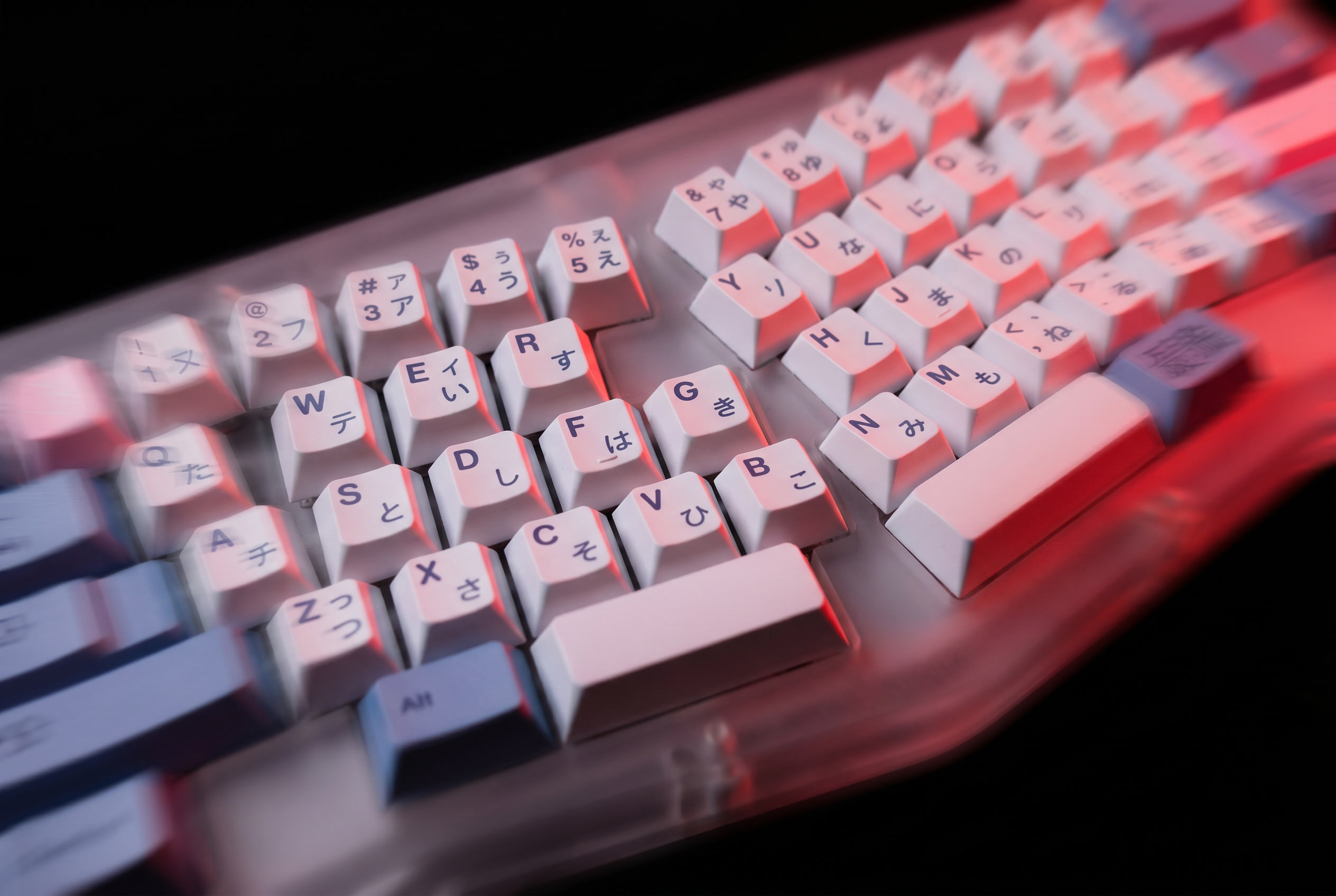
A split keyboard for programmers separates the keyboard into two independent halves, letting each hand sit at its own width, angle, and tilt instead of reaching toward a single fixed central column. For developers typing dense, symbol-heavy code for six or more hours a day, this single design change addresses a wrist-position problem the standard keyboard layout has never solved. This guide covers how split layouts work, why the mechanics matter specifically for programming work, who should switch, and the real tradeoffs involved.
Split Keyboard for Programmers: Full 2026 Guide
What Is a Split Keyboard?
The standard keyboard layout, inherited largely unchanged from the 1873 Sholes typewriter, forces both hands toward a single central block of keys. A split keyboard breaks that block into two physically separate halves connected by a cable or operating independently over wireless, with each half handling one side of the alphabet and a portion of the modifier keys.
Three common formats exist in the current market:
- Standard split: Two halves with the same row-stagger as a traditional keyboard, simply separated. Lowest learning curve.
- Columnar stagger split: Keys arranged in vertical columns matching natural finger length rather than row-staggered rows. Boards like the Moonlander or ErgoDox fall here. Higher learning curve, higher ergonomic ceiling.
- Fixed-angle unibody: One physical piece with a built-in split angle rather than two independently movable halves. Easier to transport, less adjustable.
Why Does This Matter Specifically for Programmers?
Code is symbol-dense in a way most prose typing is not. Brackets, pipes, ampersands, and modifier-key chords for IDE shortcuts require frequent reach into the outer edges of the keyboard with the ring and pinky fingers — exactly the fingers a standard layout already asks to overreach toward the center. Programmers also tend to sit in longer unbroken typing stretches than most other knowledge-work roles, which compounds a small per-keystroke strain into a measurable daily total.
Most split keyboards aimed at this audience run open firmware — QMK or ZMK — which allows custom symbol layers. This matters in practice: a programmer can place a frequently used symbol combination on a single key-press rather than a multi-key chord, reducing reach frequency on top of the ergonomic benefit of the split itself.
How Does a Split Layout Change Typing Mechanics?
The core mechanism is ulnar deviation — the inward wrist angle required to reach a centered keyboard block. On a standard keyboard, both wrists sit slightly bent toward the midline for the entire duration of typing. A split keyboard removes the shared central column entirely, allowing each hand to rest at shoulder width with a neutral or slightly outward wrist angle.
Most split boards add a second adjustable variable: tenting, which raises the inner edge of each half to reduce forearm pronation — the twist required to keep the palm flat on a standard desk surface. Tenting angle is typically adjustable from flat to 20–40 degrees depending on the board, and is usually the setting that takes the longest to calibrate correctly for an individual user.
The Myth vs. Reality: “Split Keyboards Are Just an Aesthetic Trend”
The common dismissal is that split keyboards are an enthusiast aesthetic choice rather than a functional one. Ulnar deviation and forearm pronation are documented variables in occupational typing ergonomics research, not cosmetic preferences — the split format is a direct mechanical response to both. The aesthetic association exists because the enthusiast keyboard community adopted split formats early and visibly, not because the underlying ergonomic case is weak.
Who Should Switch to a Split Keyboard?
The clearest case is a programmer typing dense code for six or more hours a day at a single fixed desk, particularly anyone already noticing wrist or forearm tension by the afternoon. The ergonomic return compounds with session length — for short, interrupted typing sessions, the benefit is real but smaller.
Programmers who frequently hot-desk, work from cafés, or travel with their setup should weigh this against the portability cost discussed below. A fixed-angle unibody split is the more travel-friendly middle ground if desk stability varies week to week.
What Are the Limitations of a Split Keyboard?
Learning curve. Standard split layouts adapt quickly. Columnar stagger boards typically cost one to three weeks of reduced typing speed before reaching prior baseline, longer for touch typists with years of row-stagger muscle memory.
Cost. Quality split keyboards aimed at programmers run £150–£400, noticeably above standard mechanical keyboard pricing, reflecting the more complex case engineering and smaller production runs.
Desk space and portability. Two halves at shoulder width require a wider desk footprint than a single-piece keyboard, and travel between halves and cables adds packing friction compared to a one-piece board.
Firmware complexity. Most boards ship with a usable default layout, but unlocking the full custom-layer benefit for programming symbols requires flashing QMK or ZMK firmware — a configuration step with a real technical learning curve of its own.
The Bottom Line
A split keyboard for programmers is a narrow but real ergonomic intervention. It solves cumulative ulnar deviation and forearm pronation strain specifically for sustained, symbol-dense typing at a fixed desk. It does not meaningfully improve short, interrupted sessions, and it introduces real cost, learning curve, and portability tradeoffs that should be weighed against the specific daily typing volume of the buyer.
Frequently Asked Questions
What is a split keyboard?
A split keyboard separates the standard keyboard into two independent halves, allowing each hand to operate at its own width and angle instead of reaching toward a shared central column. It connects via cable or wireless and is available in standard row-stagger, columnar stagger, and fixed-angle unibody formats.
Do split keyboards actually reduce wrist pain?
Split keyboards address ulnar deviation and forearm pronation, two documented contributors to repetitive strain during sustained typing. For programmers typing several hours daily, reducing these angles can meaningfully reduce cumulative strain. They are not a treatment for existing diagnosed conditions such as carpal tunnel syndrome — that requires medical guidance, not hardware alone.
How long does it take to learn a split keyboard layout?
A standard split layout with unchanged row-stagger typically requires only a few days of adjustment. A columnar stagger board, which rearranges keys into finger-length columns, typically takes one to three weeks to return to prior typing speed, depending on typing experience and daily practice volume.
Are split keyboards good for travel or hot-desking?
Two-piece split keyboards are less portable than single-piece boards due to the additional half and connecting cable. Fixed-angle unibody split keyboards offer a middle ground — most of the ergonomic benefit with single-piece portability — and are the more practical choice for programmers who frequently change desks or work locations.
Do I need to flash custom firmware to use a split keyboard?
No. Most split keyboards ship with a functional default layout usable immediately. Flashing QMK or ZMK firmware is only required to build custom symbol layers or remap keys beyond the factory defaults — a worthwhile step for heavy programming use, but not a requirement to start using the board.
