

Stream Deck vs. Mechanical Macropads which one belongs on your desk — and which one will quietly frustrate you six months after you buy it.
The short answer: the Stream Deck runs on software. The mechanical macropad runs on hardware. That one difference changes everything about which one belongs on your desk — and which one will quietly frustrate you six months after you buy it.
This post breaks down both devices through the lens of interface control architecture — a fancy way of asking: where does the intelligence actually live? In the app on your computer, or baked into the device itself? Because the answer determines latency, reliability, portability, and whether your setup survives a software update gone wrong.
No brand loyalty here. Just the technical picture, mapped to real workflow contexts.
Stream Deck vs. Mechanical Macropads
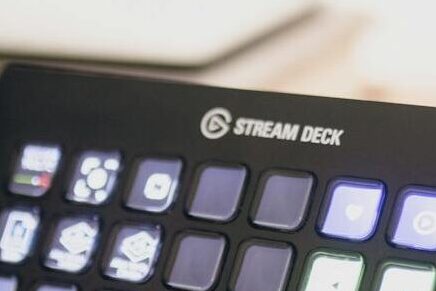
Stream Deck vs. Mechanical Macropads The Procurement Mistake Nobody Warns You About
Here is the situation. You have spent real money on your desk setup. You are switching between apps dozens of times a day, firing off the same keyboard shortcuts on repeat, or managing a live stream where one wrong click matters. You decide it is time for a dedicated control device.
you don’t need to end up with a device that is technically on your desk but not actually solving the problem you bought it to solve.
The root cause is almost always the same: the wrong interface control architecture for the job. Not a bad product — just a mismatch between what the hardware is designed to do and what the workflow actually needs.
Hardware Architecture: What You Are Actually Pressing
Before getting into software, it helps to understand what is physically happening when you press a key on each device, Stream Deck vs. Mechanical Macropads . They feel similar. They work very differently.
The Elgato Stream Deck MK.2: A Scissor-Switch Relay
The Stream Deck MK.2 uses scissor-switch keys — the same mechanism you find in most laptop keyboards. Short travel, quiet, flat feel. That part is straightforward.
What matters more is what the keypress actually does. On the Stream Deck, pressing a key does not send a traditional keyboard signal to your computer. It sends a signal to the Elgato desktop application, which reads it, finds the plugin assigned to that key, and tells the plugin to do something — open an app, toggle a mute, switch a streaming scene. The physical switch is just the starting gun. Everything after that is software.
That is the defining characteristic of this interface control architecture: the device is a smart relay. Intelligent, yes — but dependent on the software chain staying intact.
The Keychron Q0 Macropad: A Device That Thinks For Itself
A QMK-compatible mechanical macropad like the Keychron Q0 works on a completely different principle. When you press a key, the firmware embedded in the device’s own microcontroller processes the input and sends a standard USB signal directly to your computer — no intermediary application required.
The Q0 also features hot-swappable switch sockets, which is worth understanding beyond the marketing language. Hot-swappable means you can physically pull out the mechanical switches and replace them with different ones — no soldering. That lets you change the actuation force (how hard you press), the travel distance, and whether the key has a tactile bump mid-press. For a device you are using to fire off commands hundreds of times a day, that is an ergonomics option that a fixed scissor-switch device simply does not give you.
But the bigger story is the firmware. The Q0’s entire configuration — every keymap, every macro, every layer — lives in the device’s own memory. That is a very different interface control architecture from a device that cannot function without its desktop app running.
Software Logic: Plugins vs. Onboard Memory
This is where the procurement decision gets real. Both devices Stream Deck vs. Mechanical Macropads are highly customisable. But the mechanism, stability, and dependency chain of that customisation are fundamentally different.
The Stream Deck: Powerful, But the App Has to Be Running
The Stream Deck’s strength is its plugin ecosystem. Elgato and third-party developers have built integrations for OBS, Adobe Premiere, Zoom, Spotify, and dozens of other tools. When you press a key assigned to “Start Recording,” the plugin sends an API call to OBS, and OBS executes the command.
That works brilliantly — right up until it doesn’t. If the Elgato app crashes, the keys stop working. If a plugin falls behind on updates after an OBS version bump, the integration silently breaks. If you plug the Stream Deck into a different computer without installing the app and your profile, it is an inert block of plastic with LCD screens.
None of this is a design flaw. It is just an honest description of how this interface control architecture operates. For a stable, permanent workstation in a content production environment, it is a manageable and often excellent trade. For mission-critical or cross-machine workflows, the dependency chain is a real structural consideration.
QMK and VIA: The Configuration Travels With the Device
A QMK macropad flips the dependency model. The firmware, keymaps, and macro logic live in the device’s own flash memory. Plug it into any machine and it behaves exactly the same way, with zero software installed on the host.
VIA — the graphical configuration tool for QMK — runs in a browser and lets you remap keys and adjust layers in real time. But even VIA is optional. You can configure the device once and never open VIA again. The settings stay put.
This is the core advantage of hardware-native interface control architecture for professionals who work across multiple machines, travel with their setup, or operate in environments where installing third-party software on a host machine is restricted. The intelligence is in the device. It goes where you go.
The honest tradeoff: QMK has a learning curve. Setting up layers and macros through VIA is accessible, but the full capability of the firmware takes time to unlock. It is not a plug-and-play experience in the way the Stream Deck’s visual interface is. [LINK: The 2.4 GHz vs. Bluetooth Keyboard Debate — What Professional Workflows Actually Demand]
Use Case Deployment: Streaming, Editing, and Development
The question is not which device is better. It is which interface control architecture fits your actual workflow. Here is the technical picture side by side.
| Feature | Stream Deck MK.2 | QMK Macropad (e.g. Keychron Q0) |
|---|---|---|
| Latency | Software-bound — typically 20–80ms via API plugin chain | Hardware-native — typically 1–8ms at USB polling rate |
| Feedback | LCD visual display — dynamic icons, colour states per key | Tactile and auditory — mechanical feel, no visual layer |
| Configuration Storage | Desktop application — no onboard memory | Onboard flash memory — portable, host-agnostic |
| Software Dependency | Elgato app + plugins required at runtime | No runtime software needed (VIA optional) |
| API Integration | Native — deep plugin ecosystem for OBS, Adobe, productivity tools | Indirect — triggers keyboard shortcuts that invoke app functions |
| Portability | Configuration tied to host machine installation | Full configuration travels with the device |
| Switch Customisation | Fixed scissor-switch — no user modification | Hot-swappable — actuation and travel user-configurable |
| Best Context | Streaming, live content production, app-switching with visual confirmation | Development, text expansion, cross-platform command sequences |
For streaming and live content production, the Stream Deck’s visual feedback layer is genuinely hard to argue against. Knowing at a glance which scene is live, which mic is muted, which recording is active — that is a real functional advantage that no tactile macropad replaces without adding extra software on top.
For development and text-heavy professional environments, the QMK macropad’s hardware-native approach tends to win. If you are issuing Git commands, code snippets, or shell sequences through a macropad, millisecond latency and zero software dependency are not marginal gains — they are structural requirements for that kind of workflow.
Stream Deck vs. Mechanical Macropads :Who Each Device Is Actually Built For
The Stream Deck belongs on the desk of someone whose workflow is built around application-level events with visual confirmation needs. Content creators, video editors working in Adobe Premiere or DaVinci Resolve, podcast producers managing multiple audio sources, live streamers who need to know broadcast state at a glance without looking away from their primary screen. This is the interface control architecture those workflows are asking for.
If you are a career professional — managing project tools, communication platforms, and documents on a stable single workstation — and your command sequences are mostly keyboard-shortcut-based rather than API-event-based, the Stream Deck’s dependency chain may be more complexity than it returns in value. A well-configured QMK macropad with a clean layer system is often the more structurally elegant solution.
And if your work spans multiple machines, or if your environment restricts installing third-party software on host computers, the QMK macropad’s host-agnostic design eliminates an entire category of friction.
Stream Deck vs. Mechanical Macropads :What Neither Device Will Fix
The Stream Deck will not organise a chaotic workflow. Adding a dedicated key for every function is not a system — it is more keys. The plugin ecosystem is extensive but carries a maintenance overhead that most buyers underestimate. Plugins deprecate. APIs change between software versions. Integrations that work flawlessly today can break silently after an update, and there is no automatic repair mechanism. If you are procuring the Stream Deck for a mission-critical environment, build in a plugin maintenance habit — do not assume perpetual compatibility.
The QMK macropad’s learning curve is a genuine barrier for some users. VIA makes configuration accessible, but unlocking the full capability of this interface control architecture — complex macros, multi-layer keymaps, tap-hold logic — takes time and some willingness to experiment. If your schedule does not have room for that, it is a relevant cost to factor in.
Neither device Stream Deck vs. Mechanical Macropads changes the fundamental quality of the workflow sitting underneath it. They are control layer optimisations. Their impact ceiling is determined by how well-designed the workflow they are serving already is.
The Bottom Line on Stream Deck vs. Mechanical Macropads
The Stream Deck is an API-relay device with a visual feedback layer. It is purpose-built for software-event workflows on stable, single-machine setups — content production, live broadcast, application orchestration. Its plugin dependency is not a flaw; it is part of the design. Just know what you are buying.
The QMK mechanical macropad is a hardware-native input tool with onboard memory and no runtime software dependency. It is built for keyboard-shortcut-based command sequences, cross-machine portability, and low-latency input in development or text-production environments. It does not replicate the Stream Deck’s visual feedback or deep API integrations.
These are not competing products. They solve different layers of the same workspace control problem. The right question is not “which is better” — it is “which interface control architecture actually maps onto what my workflow needs.”
Get that question right and either device becomes a genuine upgrade. Get it wrong and you end up with an expensive peripheral that lives on your desk but does not really earn its space. [LINK: The Workspace Audit — How to Evaluate Every Peripheral Before You Buy It]
Frequently Asked Questions
What is the difference between a Stream Deck vs. a macropad?
The Stream Deck is a software-relay device. It uses LCD keys to send signals to a desktop application, which then executes plugin-based API commands in connected software like OBS or Adobe Premiere. A QMK macropad is a hardware-native device that sends keyboard signals directly to the host computer from its own onboard firmware — no application required. The core difference is where the interface control architecture lives: in software on your computer, or in hardware on the device itself.
Does the Stream Deck work without the desktop app?
No. The Elgato desktop application must be running for the Stream Deck to function. The device has no onboard memory or firmware intelligence. If the app is closed or crashes, the keys stop working. This is the defining tradeoff of its software-relay architecture.
Is a QMK macropad good for streaming?
It can trigger streaming-related keyboard shortcuts, but it cannot replicate the Stream Deck’s visual LCD feedback layer or its native API integrations. If knowing the live status of your stream, scenes, or audio sources at a glance is part of your workflow, the QMK macropad does not replace the Stream Deck for that specific use case.
What does “hot-swappable” mean on a macropad and why does it matter?
Hot-swappable means the mechanical switches can be physically removed and replaced without soldering. Different switch types have different actuation forces, travel distances, and tactile profiles. For a device you are pressing hundreds of times a day, the ability to tune those physical characteristics to your preference is an ergonomic option that fixed-mechanism devices like the Stream Deck do not offer. [LINK: Mechanical Switch Types Explained — What the Technical Specs Mean for Daily Use]
Which is better for a developer workflow — Stream Deck vs macropad?
For most development workflows, the QMK macropad’s interface control architecture is the stronger structural fit. Developers issuing shell commands, code snippets, and shortcut sequences benefit from hardware-native latency, zero software dependency, and the ability to carry an identical configuration across any machine. The Stream Deck’s API-plugin model adds complexity that development workflows rarely require.
Can I use both devices together?
Yes, and for complex production setups this is a legitimate configuration. The Stream Deck handles application-level event triggers with visual confirmation. The QMK macropad handles text expansion, low-latency command sequences, and cross-machine portability. Used together, they occupy different layers of the same interface control architecture without overlap.
—
A full breakdown of QMK layer configuration — and a closer look at which Stream Deck plugins actually hold up under daily production pressure — is coming. Check it when it lands. Stay analytical.
UOMÏ · LEVEL UP YOUR WORKSPACE · 2026
